Enhancing Navigation and Usability: UX Strategies for E-commerce Websites

In this article, we will explore effective UX strategies that can enhance your online shopping experience. From clear and intuitive menus to optimized search functionality, we will uncover the secrets behind seamless navigation.
So get ready to shop smarter and faster as we dive into the world of enhancing navigation and usability for e-commerce websites.
Key Takeaways
- Clear and intuitive menus are essential for easy navigation on e-commerce websites.
- Optimizing search functionality with autocomplete and voice search improves the user experience.
- Streamlining the checkout process enhances user satisfaction and ensures efficient transactions.
- Product filtering and sorting options save time and help users find products that meet their preferences.
The Importance of Clear and Intuitive Menus

You need to make sure your menus are clear and intuitive so that users can easily navigate through your e-commerce website. The significance of categorization cannot be overstated when it comes to organizing your products and services. By dividing them into relevant categories, you enable users to find what they're looking for quickly and efficiently.
User testing plays a crucial role in ensuring the effectiveness of your menus. It allows you to gather valuable feedback from real users, helping you identify any potential issues or areas for improvement. Through user testing, you can determine whether your menu structure is logical and easy to understand, making necessary adjustments based on user preferences.
By prioritizing clear and intuitive menus, you enhance the overall usability of your website and create a seamless browsing experience for your customers.
Now that you have established clear and intuitive menus, the next step is optimizing search functionality for a seamless user experience.
Optimizing Search Functionality for Seamless User Experience
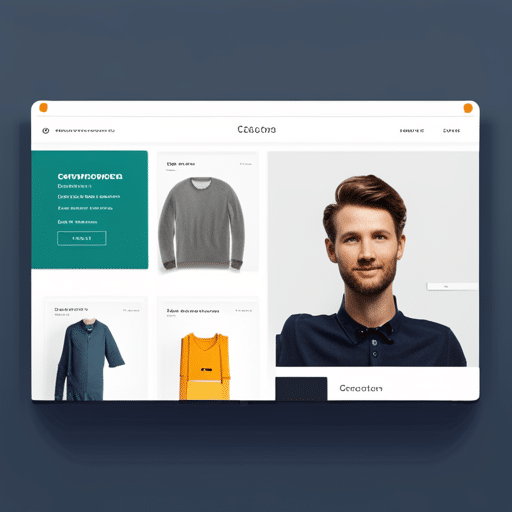
Optimizing search functionality is crucial for creating a seamless user experience on e-commerce platforms. When users visit your website, they expect to find what they are looking for quickly and easily.
One way to improve this experience is by implementing an improved autocomplete feature in your search bar. This feature suggests relevant search terms as users type, making it easier for them to find what they need without having to type out the entire query.
Another strategy to optimize search functionality is by incorporating voice search. With the increasing popularity of voice assistants like Siri and Alexa, many users now prefer speaking their queries rather than typing them. By integrating voice search into your website's search bar, you can provide a more convenient and intuitive way for users to find products.
By enhancing your website's search functionality with these features, you can ensure that users have a smooth and efficient browsing experience.
Now let's move on to the next section about streamlining the checkout process for easy and fast transactions.
Streamlining Checkout Process for Easy and Fast Transactions

To make the checkout process easier and faster for you, it's important to streamline the steps required to complete a transaction.
One way to do this is by simplifying payment methods. By offering various options such as credit cards, digital wallets, and even buy now pay later services, you can cater to different preferences and provide a seamless experience.
Another effective strategy is reducing form fields. Instead of asking for unnecessary information, only collect essential details like shipping address and payment details. This not only saves time but also reduces the chances of user frustration or abandonment.
Enhancing Product Filtering and Sorting Options

Implementing responsive design allows for a more user-friendly experience when navigating our website on mobile devices. This means that regardless of the device being used, whether it's a smartphone or tablet, our website will adapt and provide an optimal viewing and interaction experience.
To achieve a mobile-friendly layout, we conduct usability testing to ensure that the design is intuitive and easy to navigate. This involves observing how users interact with our site on different mobile devices and making necessary adjustments based on their feedback.
Here are two key benefits of implementing responsive design:
- Improved accessibility: With a responsive layout, users can easily access information and perform actions without having to zoom in or scroll horizontally.
- Increased engagement: A user-friendly interface encourages visitors to explore more pages, increasing the time they spend on our site.
Incorporating responsive design not only enhances our website's usability but also improves overall customer satisfaction.
Explore a website growth scenario
Change the assumptions to see how traffic and inquiries affect the estimated lifetime revenue of customers acquired in one month. The starting values are examples. This calculator does not measure lost revenue or predict what a redesign will achieve.
Use the same monthly period for visitors and leads.
Use distinct inquiries attributable to those visitors.
Your own estimate of the share that fits your business.
Use your observed rate or label it as an assumption.
Revenue across the customer relationship, before costs.
A scenario you choose, not a prediction from Stoute.
For example, adding 1 point changes a 2% conversion rate to 3%.
One month’s acquired customers
- Customers under current assumptions
- 3.0
- Customers in your scenario
- 3.0
- Current cohort’s estimated lifetime revenue
- $3,000
- Scenario cohort’s estimated lifetime revenue
- $3,000
- Difference across those customers’ lifetimes
- $0
Visitor-to-lead rate: 2.0% → 2.0%. Scenario conversion is limited to 0–100%. Fractional customers represent an average, not a literal customer count.
These amounts are gross lifetime revenue, not monthly cash flow, profit, or return on investment. The model holds qualification, close rate, and customer value constant. It excludes project costs, advertising, delivery costs, and payment timing.
Have a specific WordPress improvement in mind? Describe it in a written inquiry.